Chapter 10
If something goes wrong
How to look things up, and how to reach us when that is not enough.
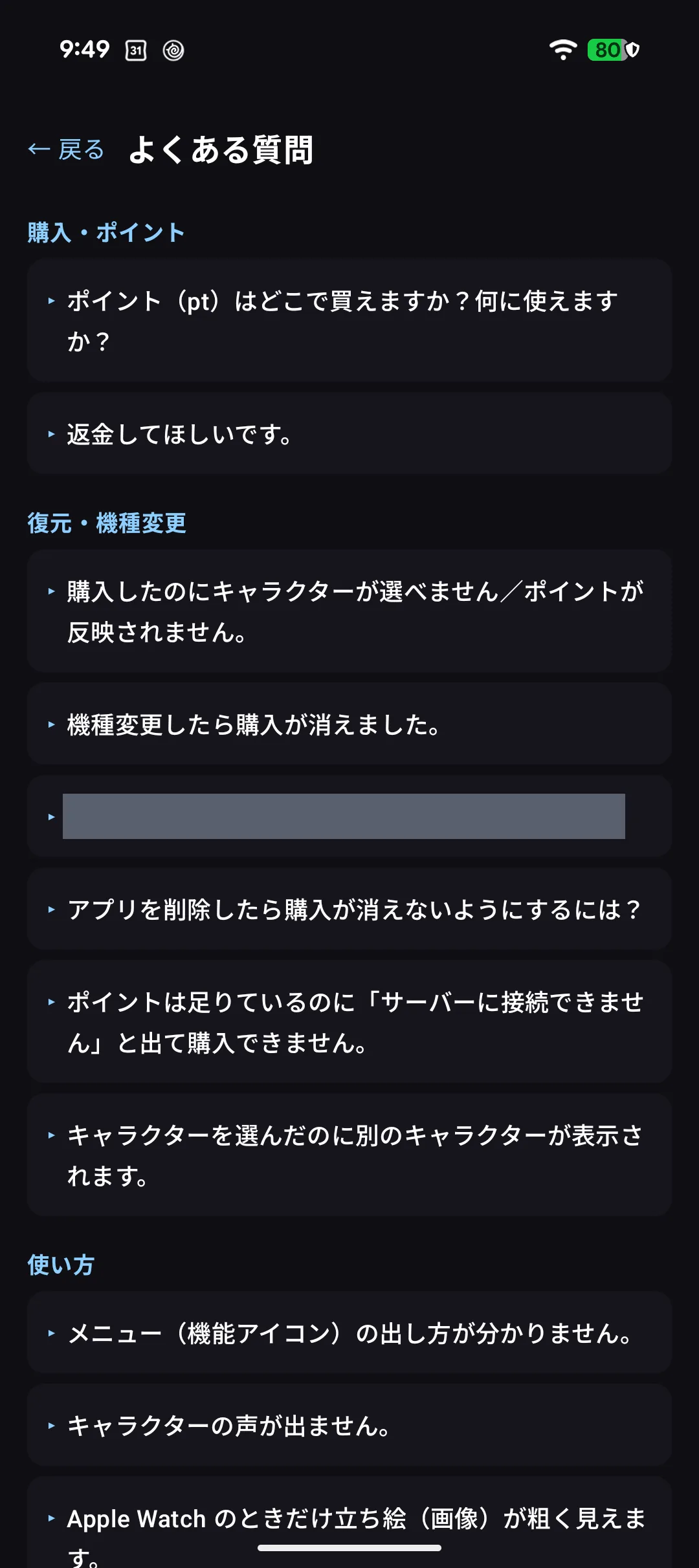
10-1. Frequently asked questions
Settings → FAQ holds the common questions and answers. It grows without an app update, so start there.
10-2. Contacting us
If the FAQ does not cover it, use Contact us in settings.
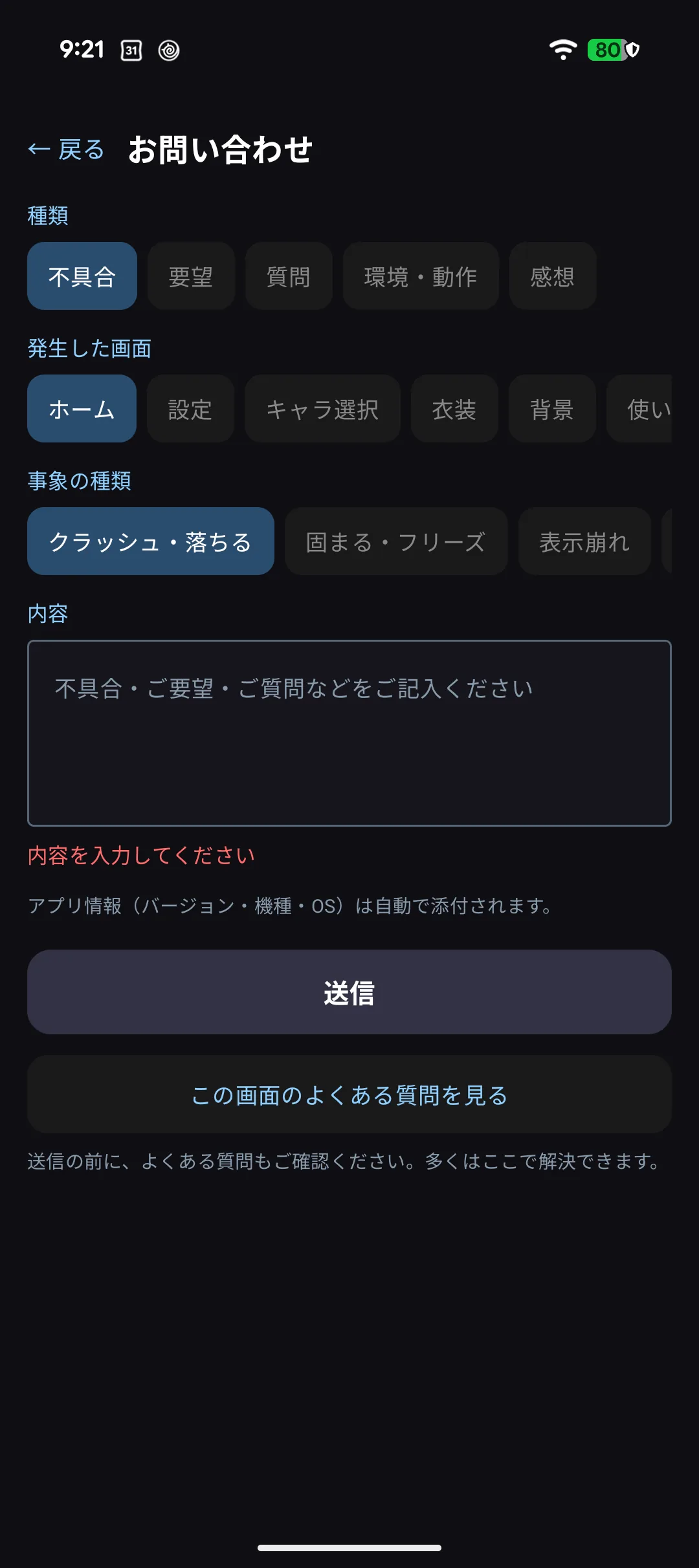
There are three sets of buttons to tap before you write your message.
| Choose | Options |
|---|---|
| Kind | Bug / request / question / device & behaviour / comment |
| Where it happened | Home / settings / character list / costumes / background / guide … |
| What happened | Crash / freeze / broken layout … |
Picking them helps us reproduce it. Leave anything you are unsure about as it is.
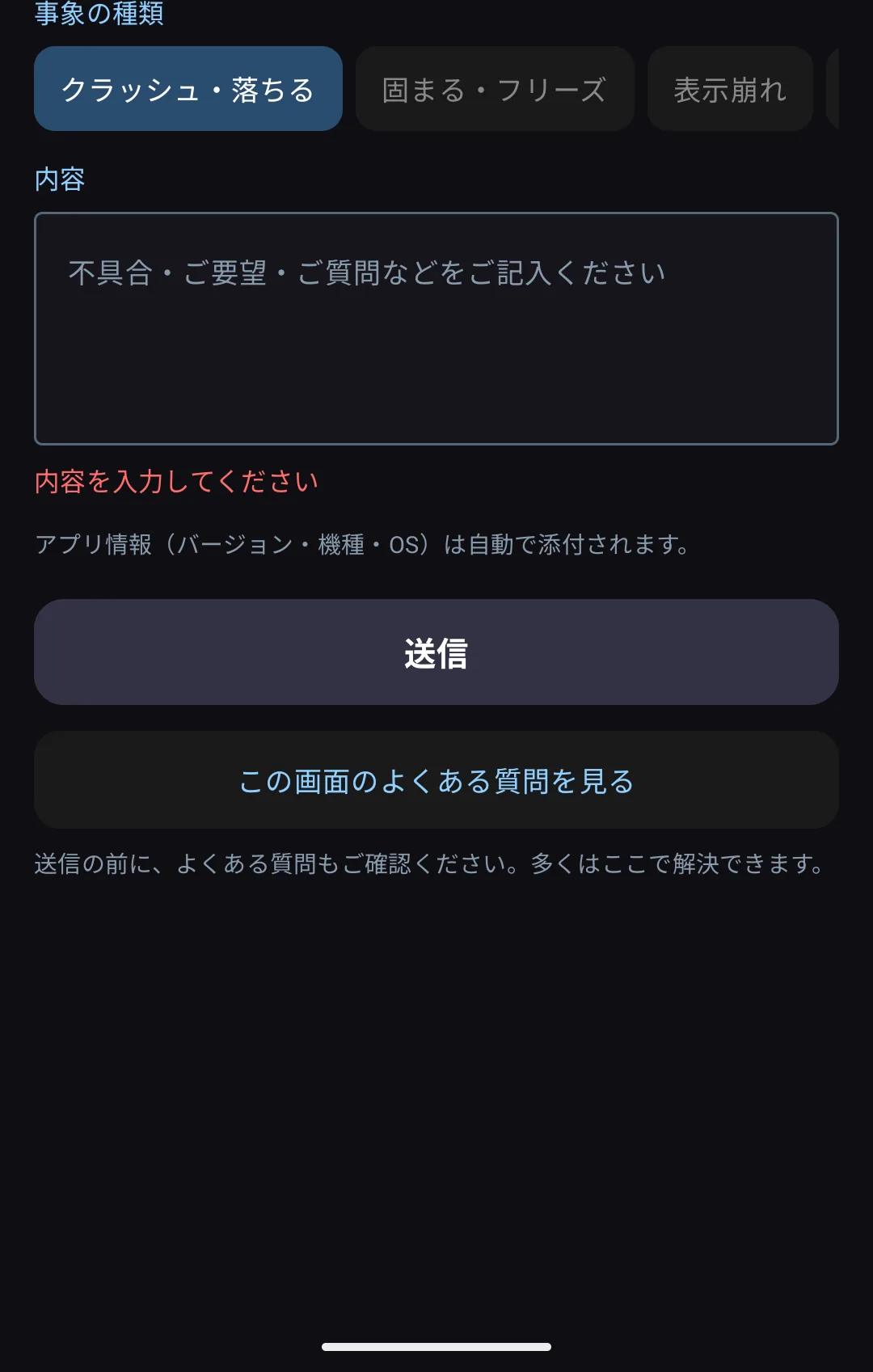
All we need is three things: which screen, what you did, and what happened. Your app version, device, OS, current character and support ID are attached automatically.
Below the form there is also "See FAQs for this screen" — worth a look before sending.
⚠️ This is a one-way channel — replies do not arrive in the app. What you send goes into improvements and new FAQ entries.
10-3. When something you bought does not appear
If payment went through but nothing arrived, try this in order.
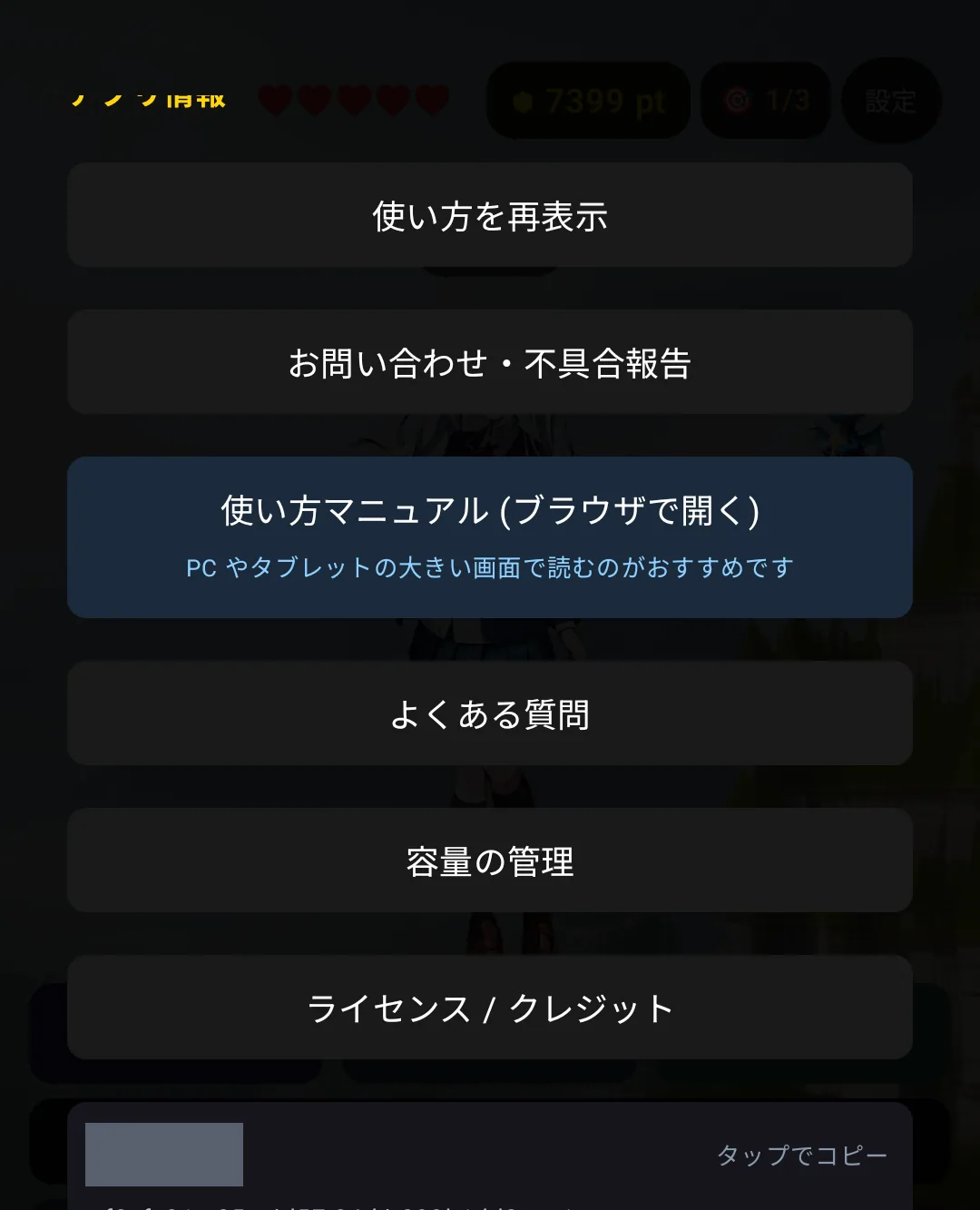
- Reopen the app somewhere with a connection — things arrive when the app syncs with the server
- Check your account link (→ Chapter 4): a Google account on Android, your Apple ID on iPhone / Apple Watch
- Run a restore — from the iPhone or Android app
android/10-restore_2.webp
You never have to pay twice. Purchase records live on our server, not on the device. If it still does not come back, contact us — your support ID is attached automatically.
For a refund, please go to the App Store or Google Play rather than to us. The stores handle the transaction, so refunds are not something we can process.
10-4. Maintenance notices
While the server is being serviced, a red notice appears at the top of the screen.
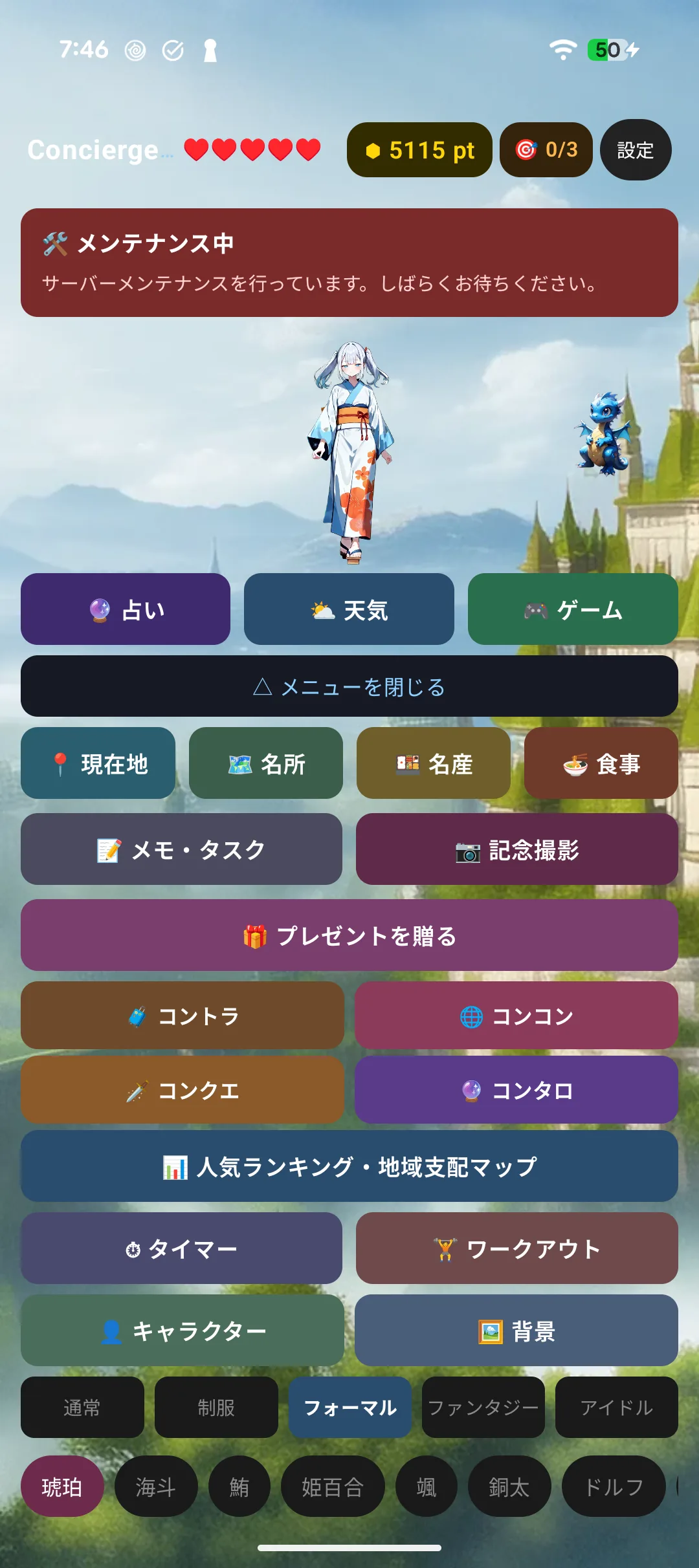
During that time, anything that needs the network — AI replies, weather, your location, Concon, point syncing — pauses. Playing with your character and the games keep working.
Points you earn meanwhile are applied once maintenance ends, so there is nothing you need to do.
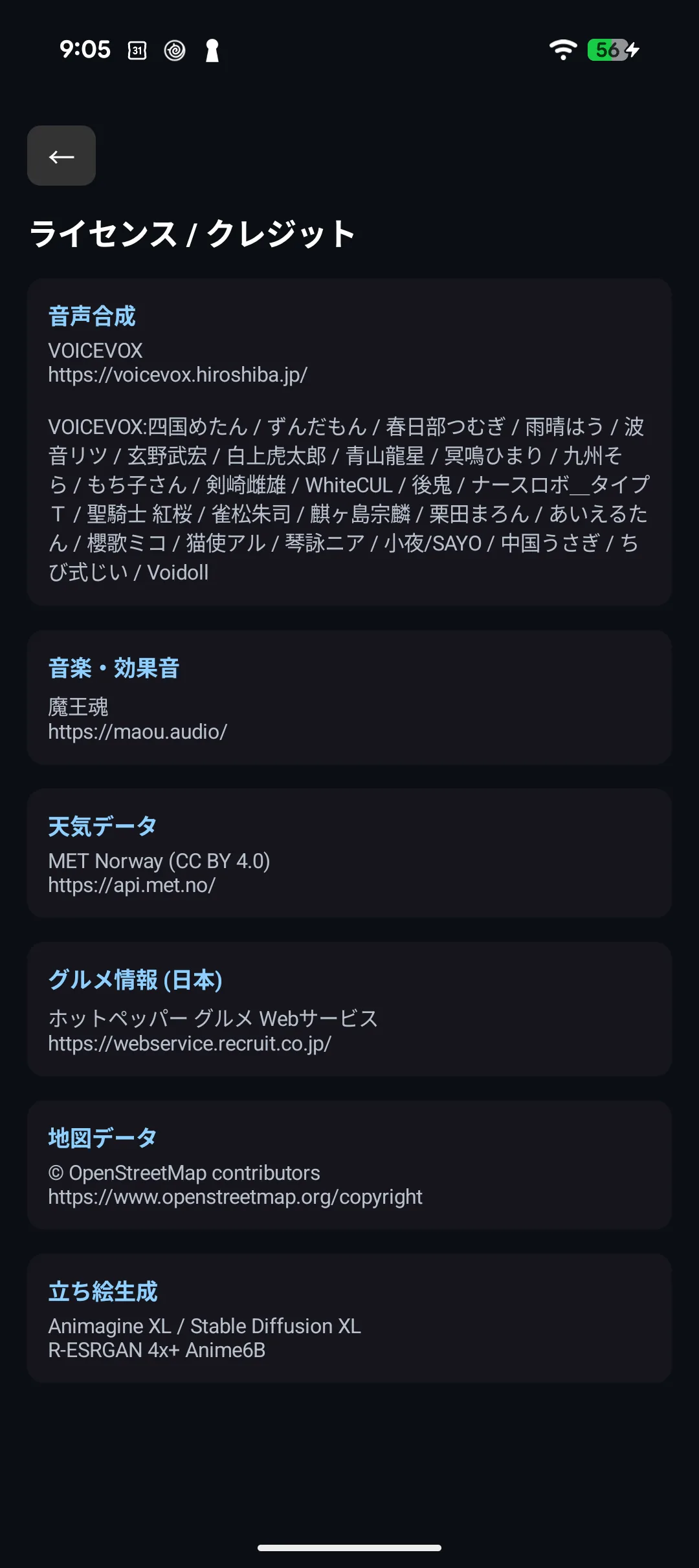
10-5. Credits and licences
Music, sound effects and artwork we license from others are credited under Credits in settings.
Still stuck?
| Symptom | Try first |
|---|---|
| Character is black or partly missing | Reselect the character with a connection (re-downloads it → Chapter 3) |
| No voice | Settings → is voice on? Is the device muted? |
| Unresponsive or slow | Close the app and open it again |
| ⌚ Watch and 📱 iPhone out of step | The checklist in the appendix (Chapter 11) |
| Out of storage | Settings → storage management, remove characters you are not using |