Chapter 3
Characters
The cast is growing towards 200+ characters. This chapter covers choosing and obtaining them, plus costumes, backgrounds, familiars and profiles.
The list shows the characters released so far. It grows on its own, so do not worry if the numbers on screen differ from this text.
Prices can change. The pt shown on screen is the real price — treat the numbers here as a guide.
3-1. Choosing a character (species list)
Open Characters from the menu and you first see the species.
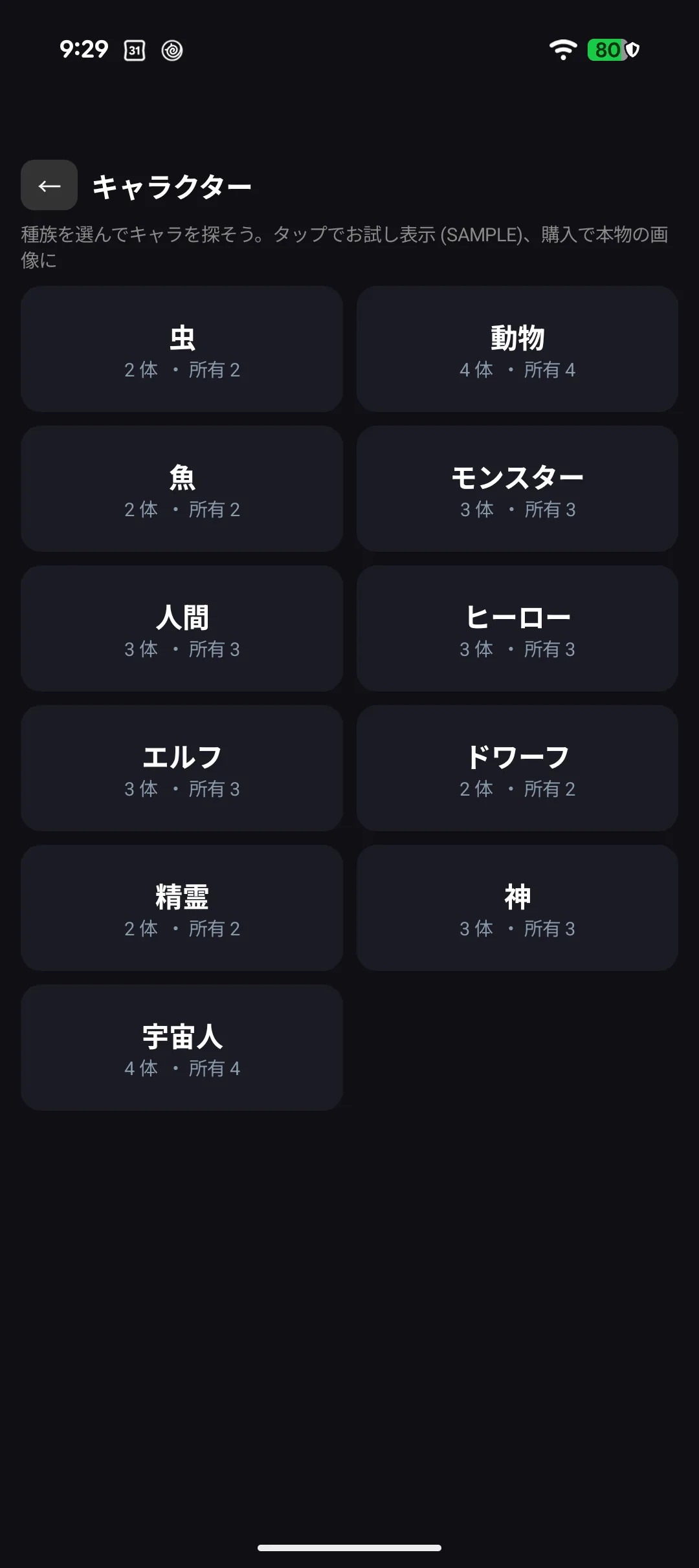
Human, elf, dwarf, hero, god, spirit, monster, alien, animal, fish and insect — eleven in all. Species affects how they speak and what they are good at (it also matters in games → Chapter 5).
3-2. Reading the character list
Each species shows "N characters · N owned" — released so far, and how many you have.
Picking a species lists its characters.
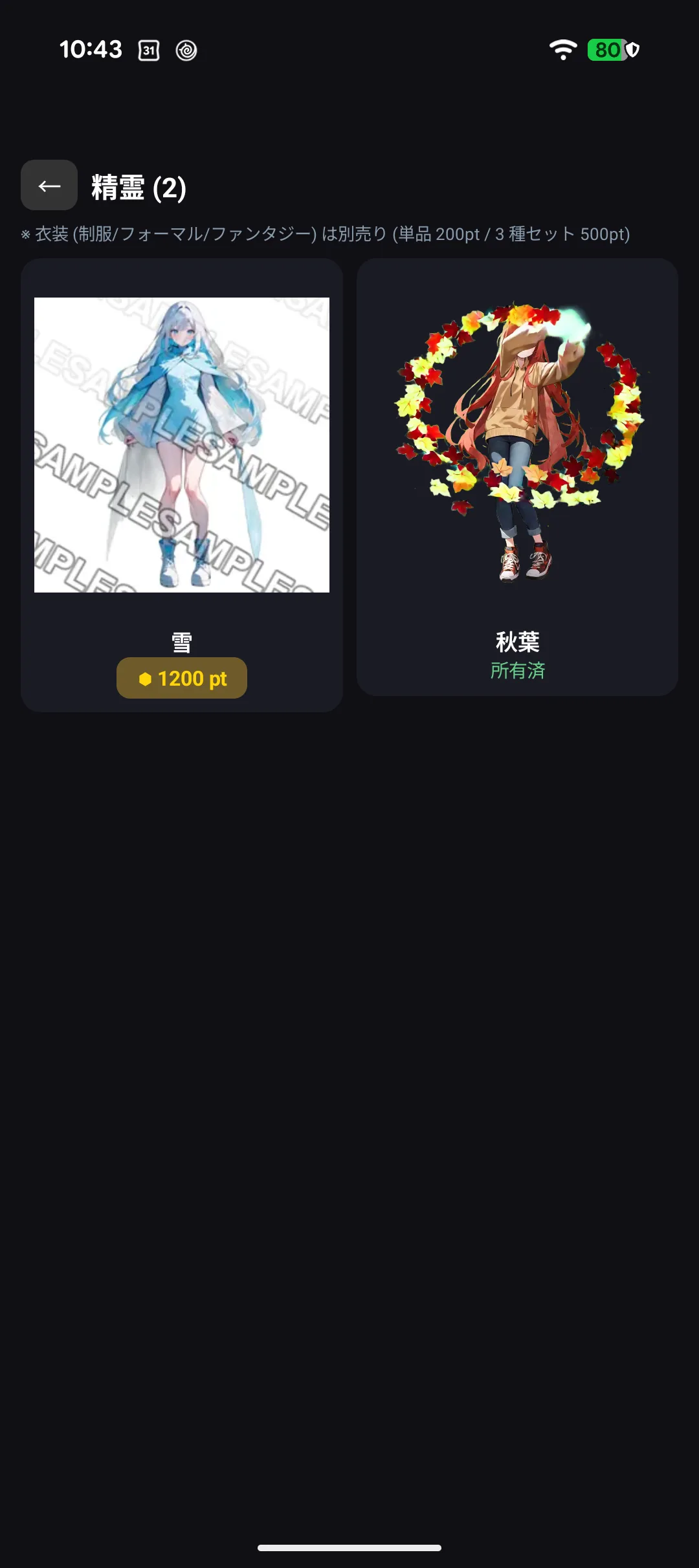
| Marking | Meaning |
|---|---|
| ☑️ / nothing | Already yours — select it right away |
| 000 pt | Not yours yet; this is what it costs |
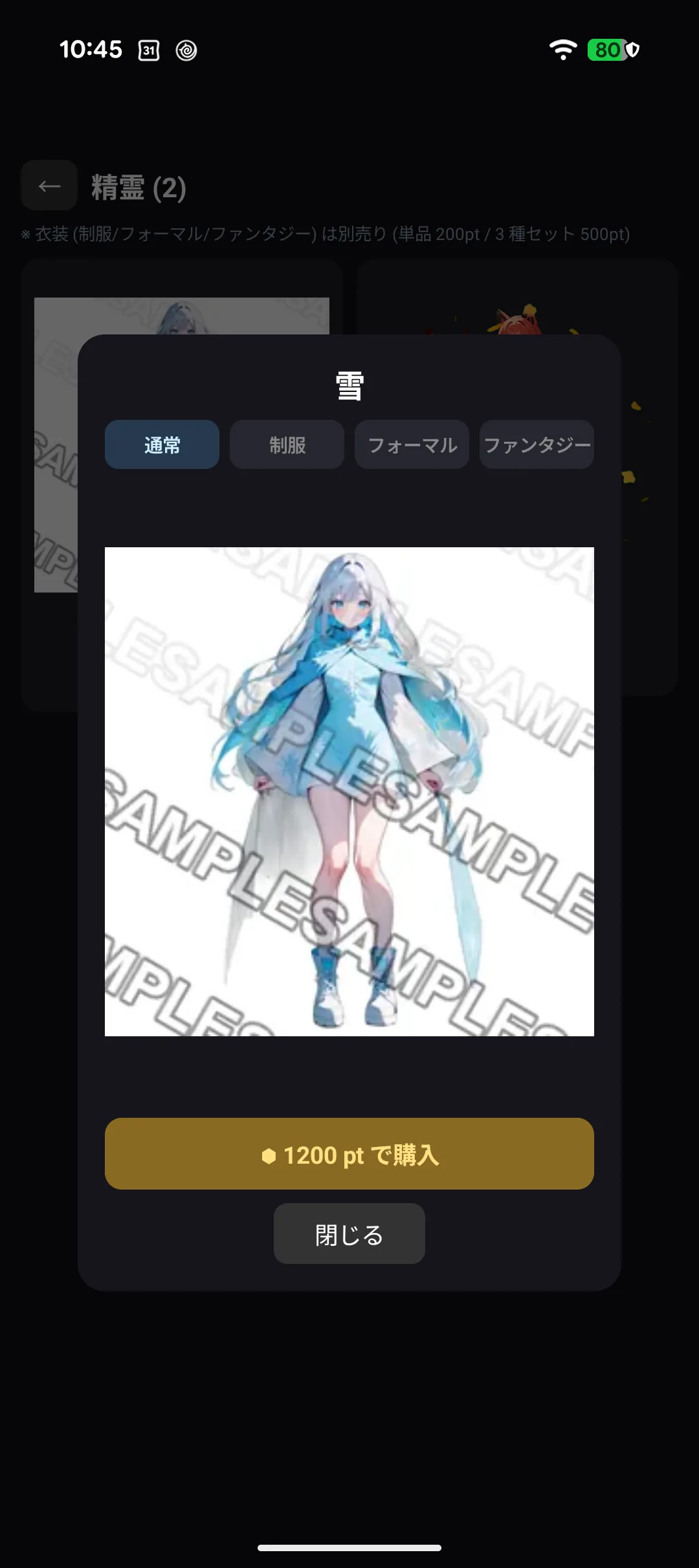
Characters you do not own can be viewed as a watermarked SAMPLE. Buying replaces it with the real artwork — so you can check how someone looks before spending anything.
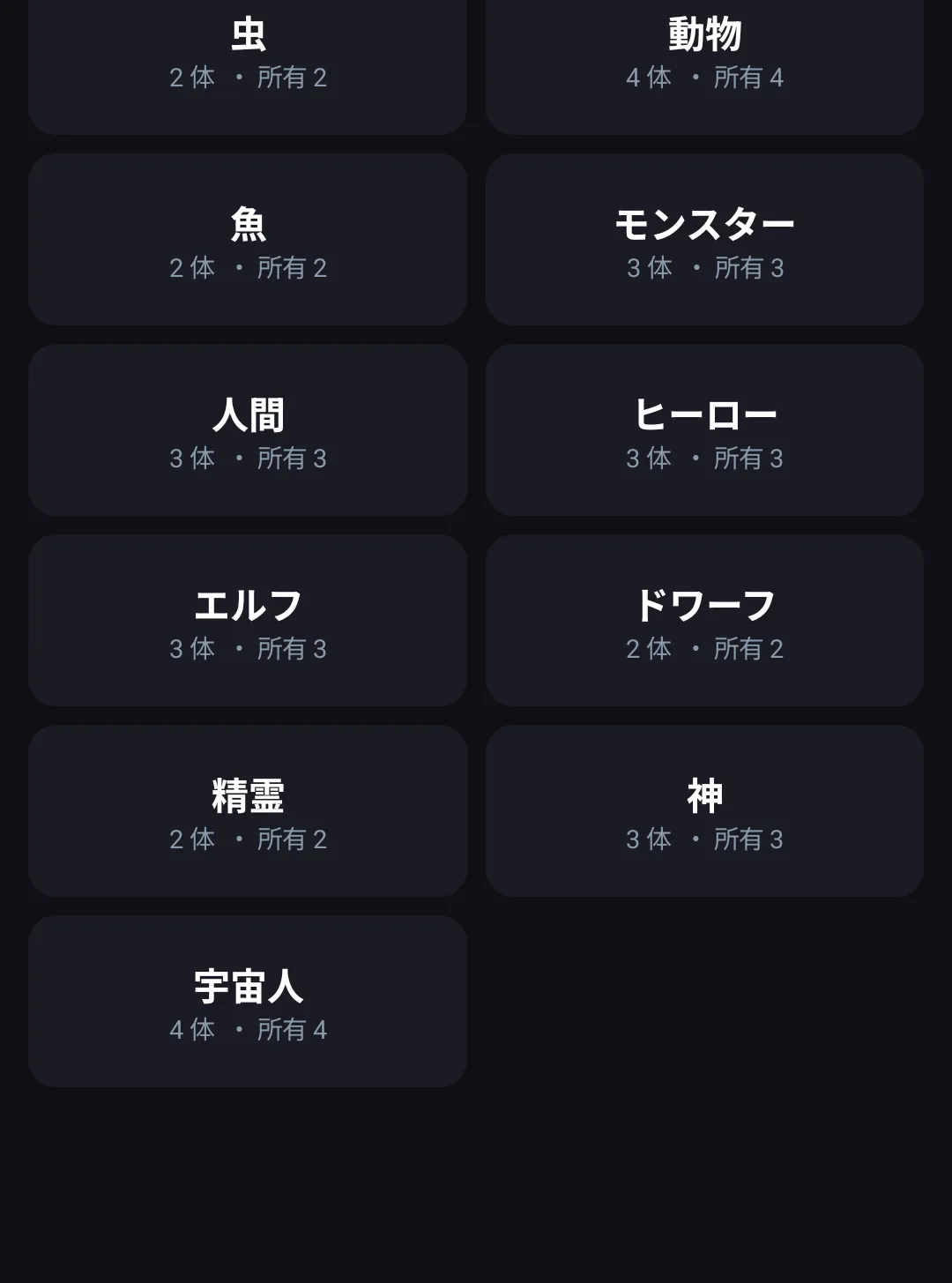
Three characters are free from the start (Kohaku, Kaito, Maguro). The rest cost pt — roughly 500 pt for insects, 600 pt for animals, 1,200 pt for gods, spirits and heroes, and 800 pt for everyone else.
3-3. Looking before you buy (preview)
Tapping a row does not switch straight away — it opens a preview so you can decide.
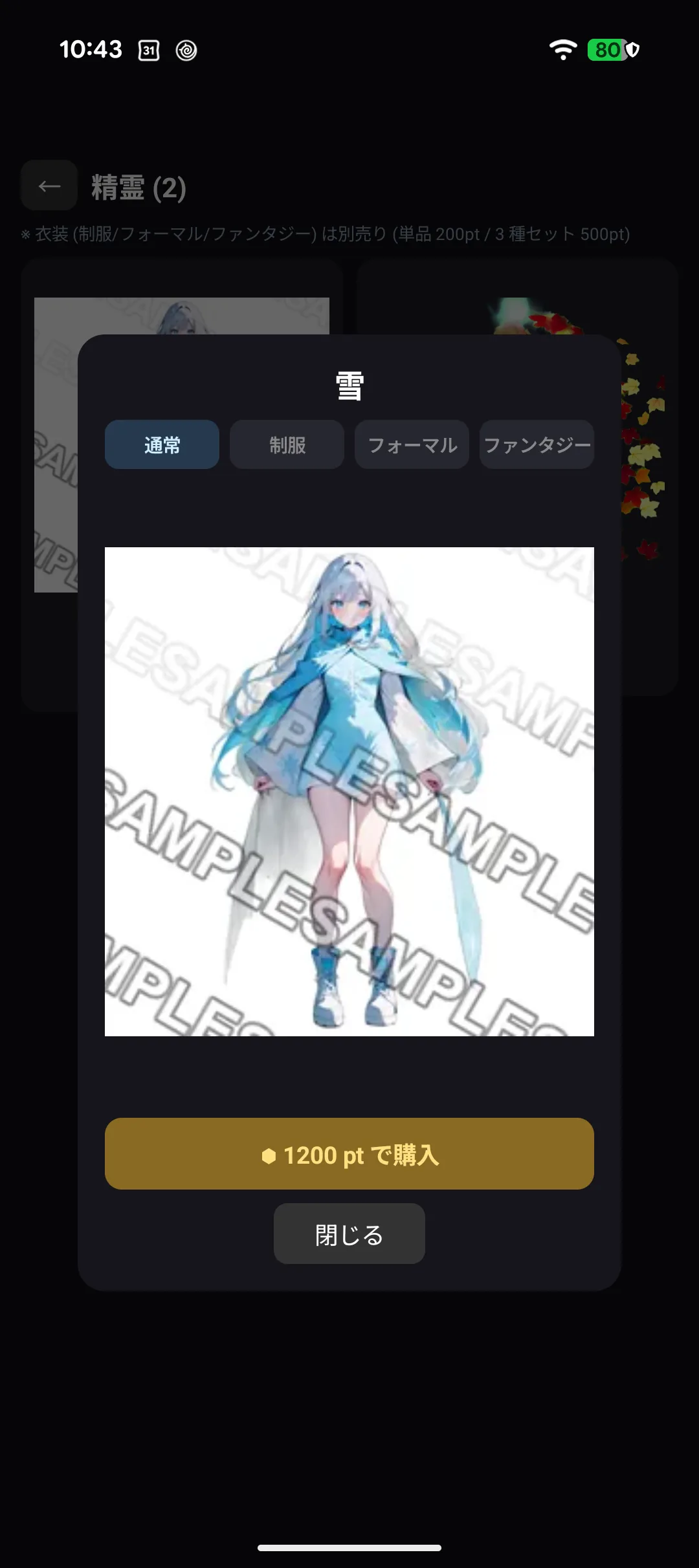
- The artwork reacts when you tap it
- The button at the bottom reads either Select this character or Buy and select
📱 If you have an iPhone, use the preview there. You can swipe through four costumes and watch them move on a much larger screen (→ Chapter 9).
3-4. Buying a character
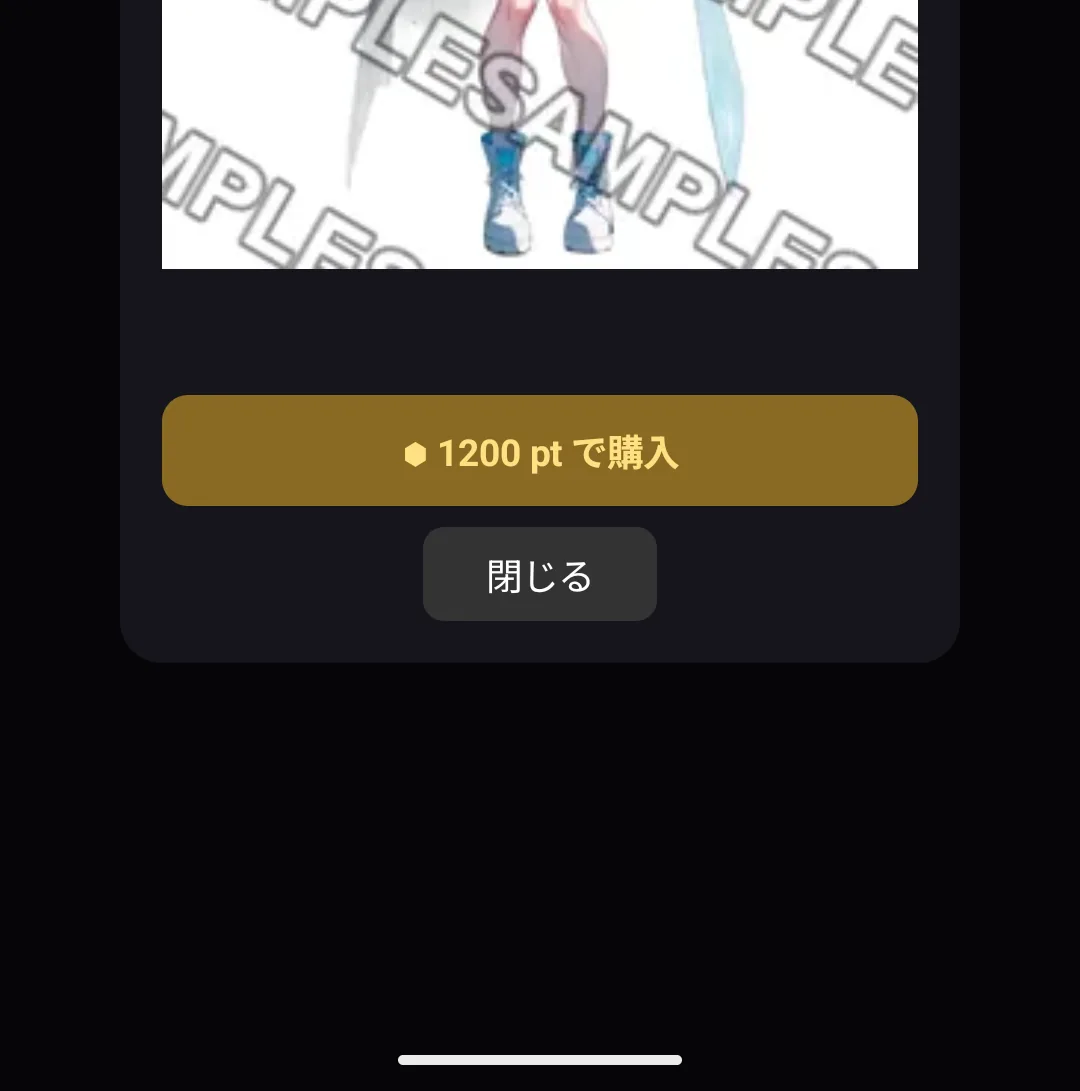
Characters you do not own show "⬢ 0000 pt to buy" under the preview.
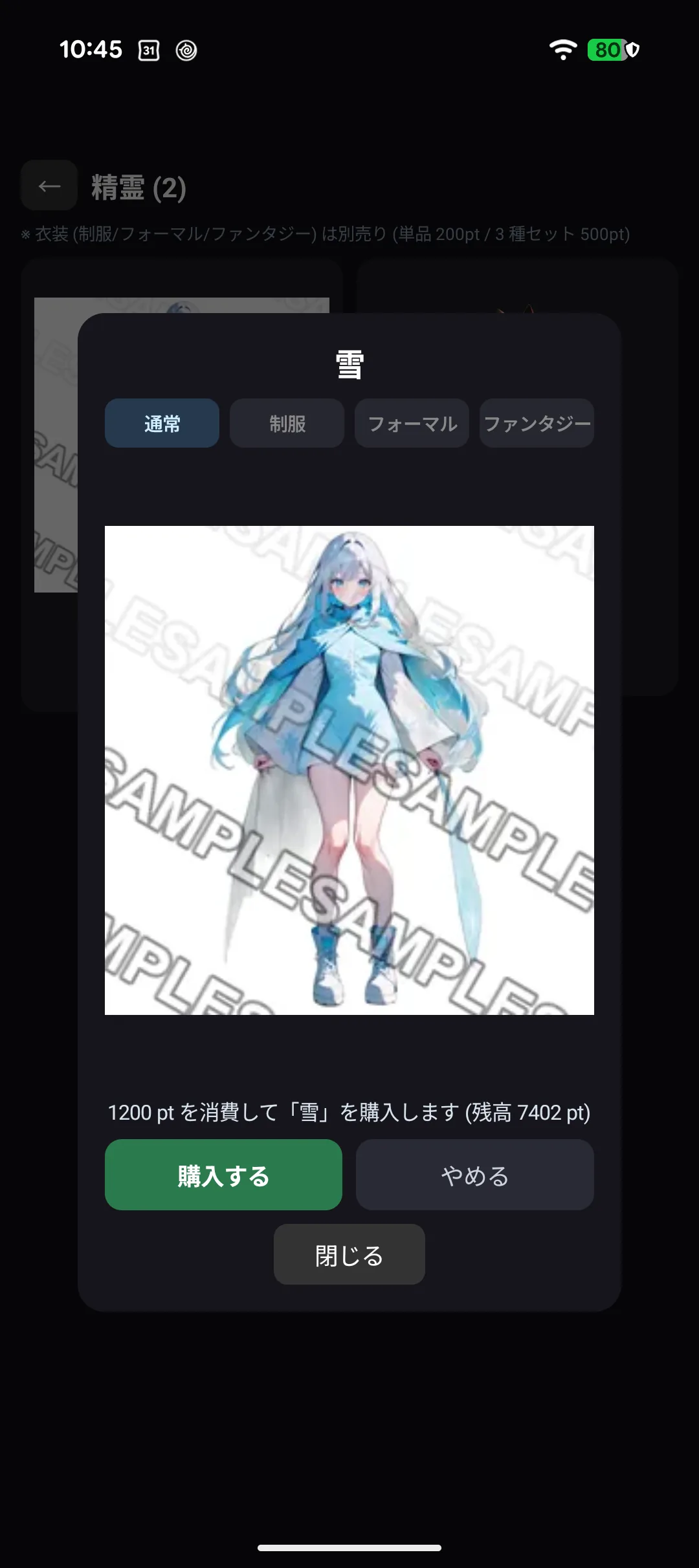
Tapping it asks for confirmation, showing what will be deducted and your balance ("Spend 1200 pt on Yuki (balance 0000 pt)"). Nothing leaves your balance until you confirm.
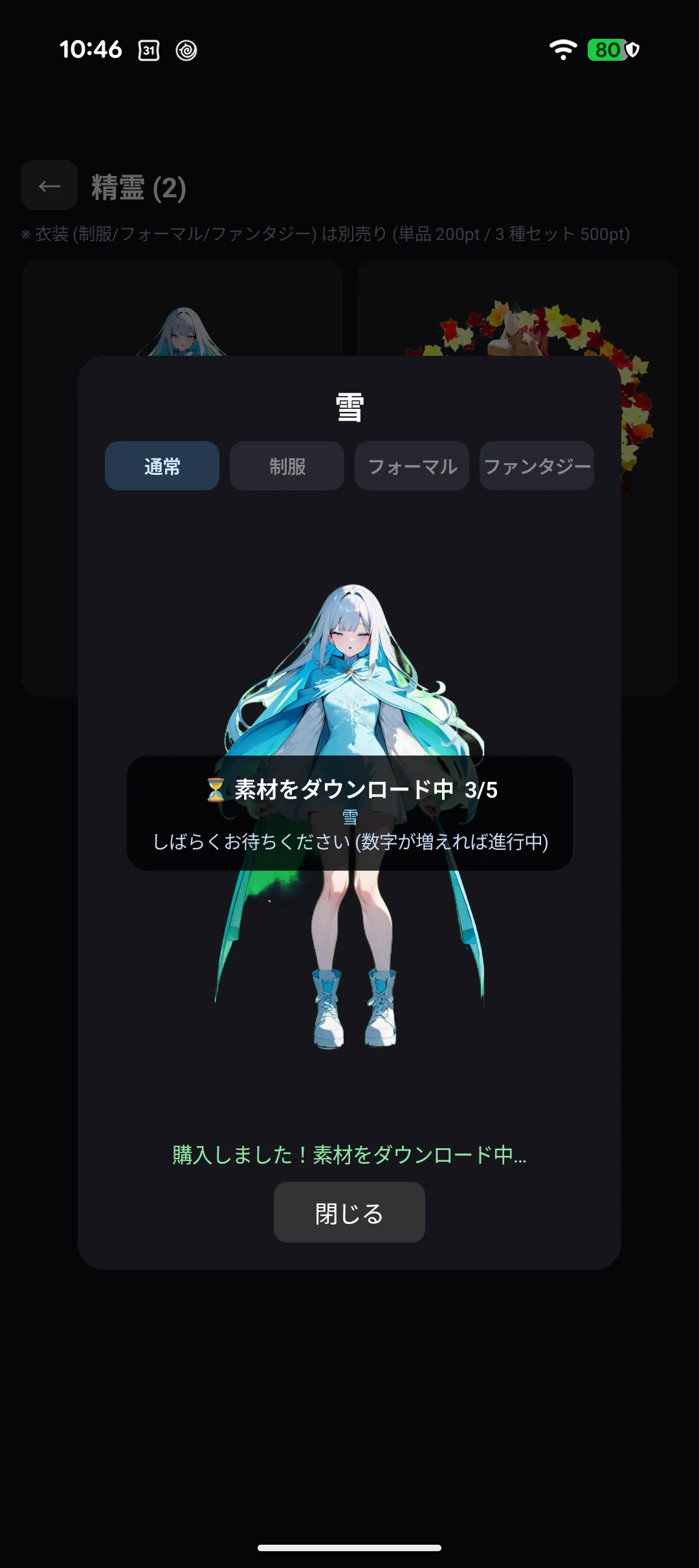
Once bought, the artwork starts downloading immediately ("⏳ Downloading assets 0/1"). When it finishes the SAMPLE watermark is gone and you have the real artwork.
If you are short on pt the button cannot be pressed, and it tells you how much is missing. See Chapter 4 for ways to earn pt.
What you buy does not disappear. The record lives with your account and on our server, so it comes back after reinstalling or moving to a new device (→ Chapter 4).
3-5. Changing costume
Characters have up to ten costumes.
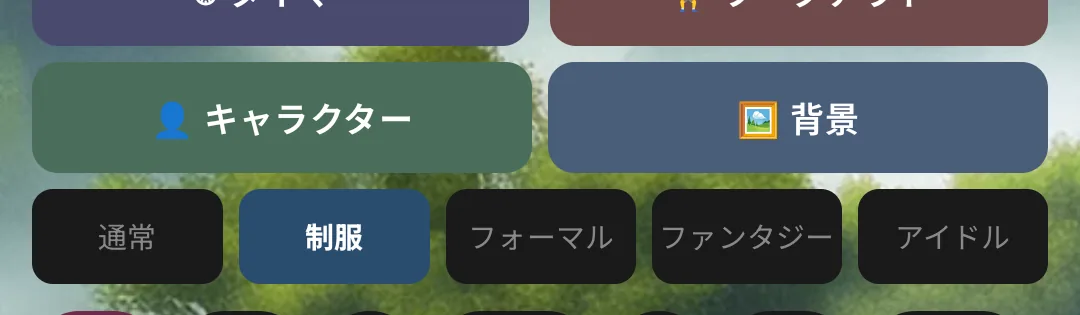
| Costume | |
|---|---|
| Everyday | Free — every character starts in it |
| Uniform / Formal / Fantasy | 200 pt each |
| Idol / Gunner / Adventurer / Maid & Butler / Bunny / Cyber | 200 pt each |
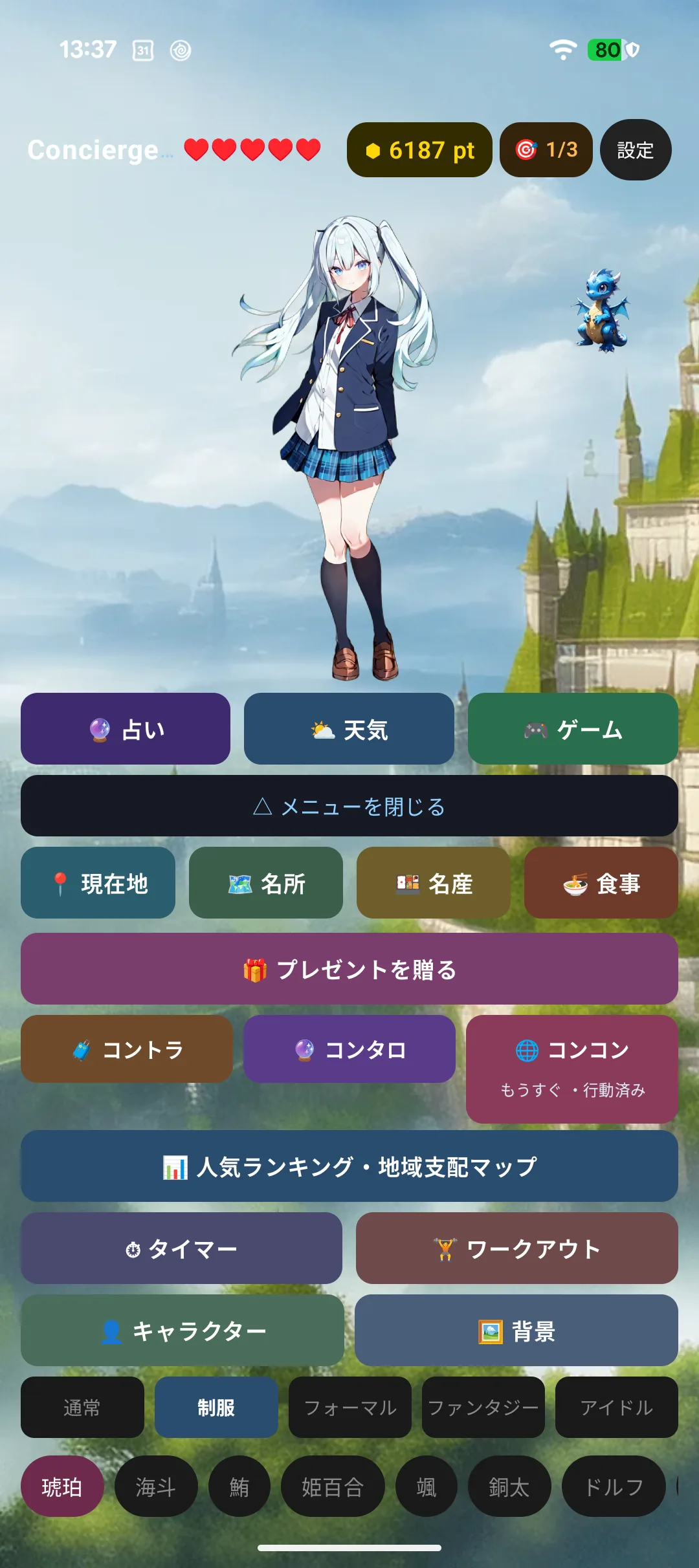
- Even free characters need to buy costumes other than the everyday one
- Costumes are per character (buying Kohaku's uniform does not cover anyone else)
- How many costumes exist varies. Some characters — animals and fish, for instance — have none
3-6. Buying a costume
Selecting a costume you do not own opens a confirmation.
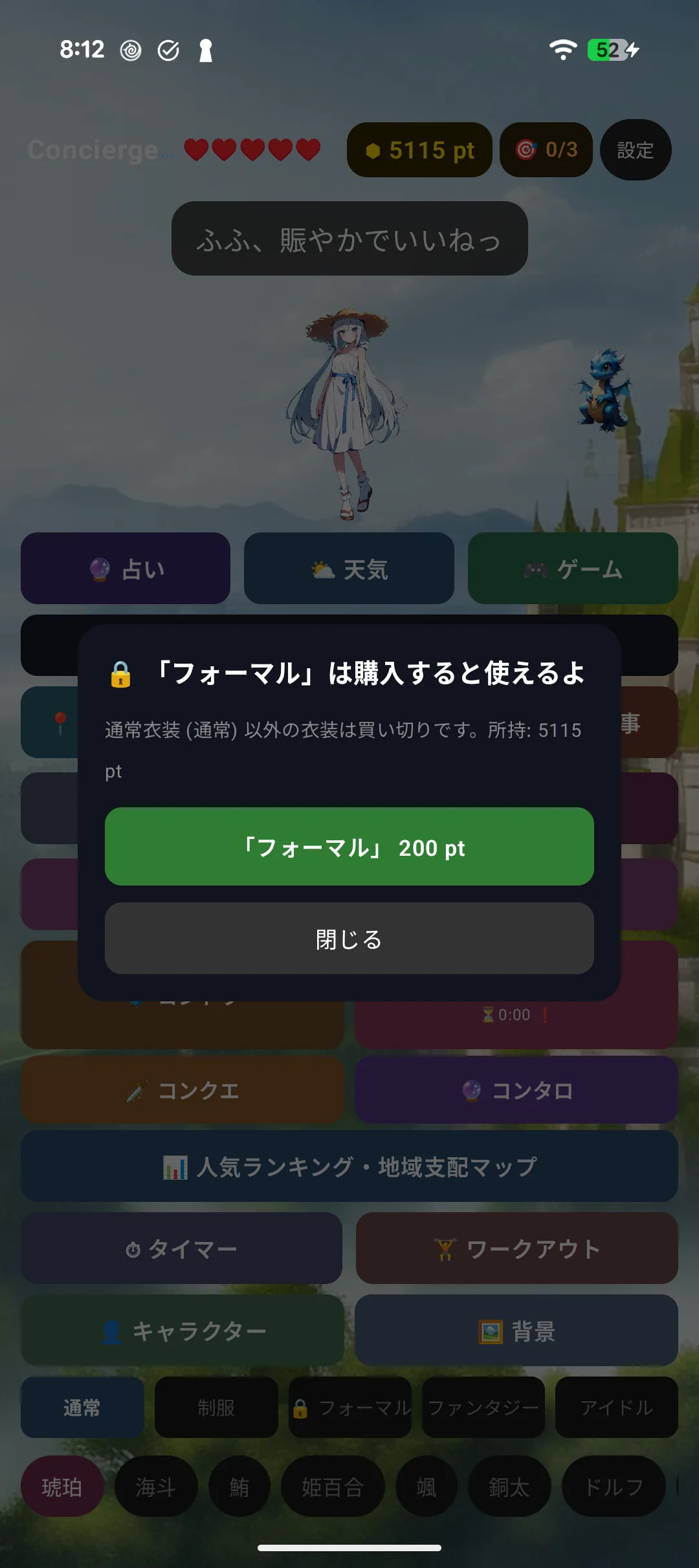
The three-costume set (Uniform + Formal + Fantasy) is 500 pt, cheaper than buying all three separately (600 pt).
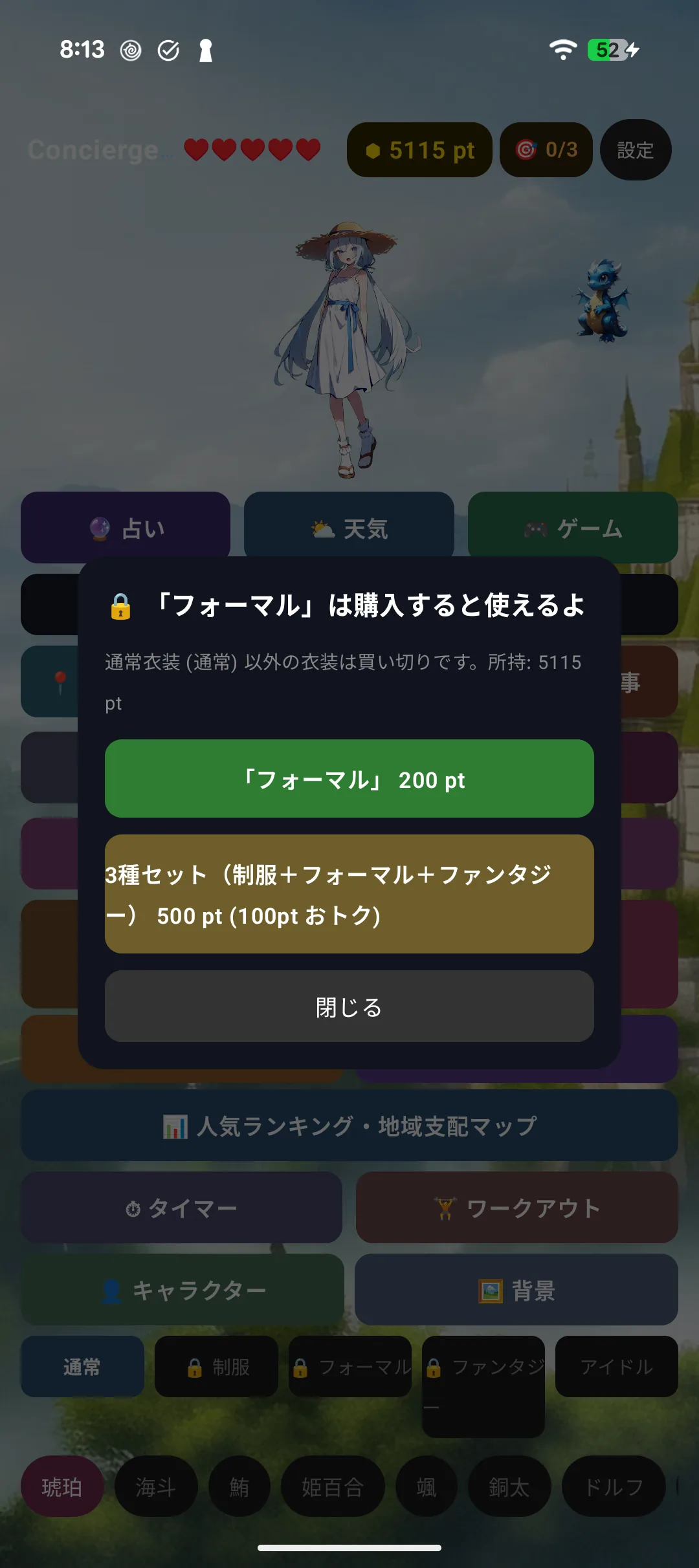
3-7. Changing the background
You can change the scenery behind your character. Some are free, others cost pt.
Where to find it
| How to open | |
|---|---|
| 🤖 Android | The "🖼 Background" button on the home screen |
| ⌚ Wear OS | Menu → Settings → Background (a little buried) |
| ⌚ Apple Watch | Settings → Background |
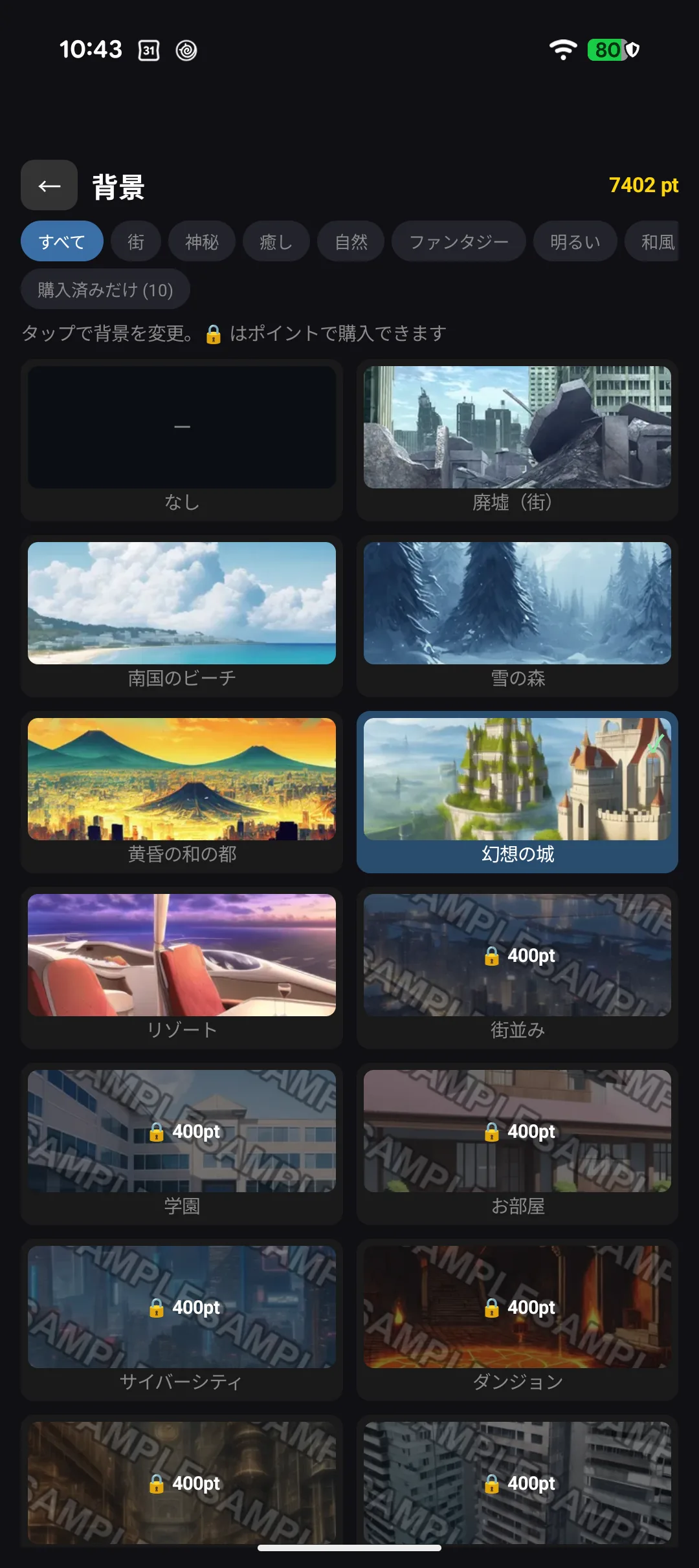
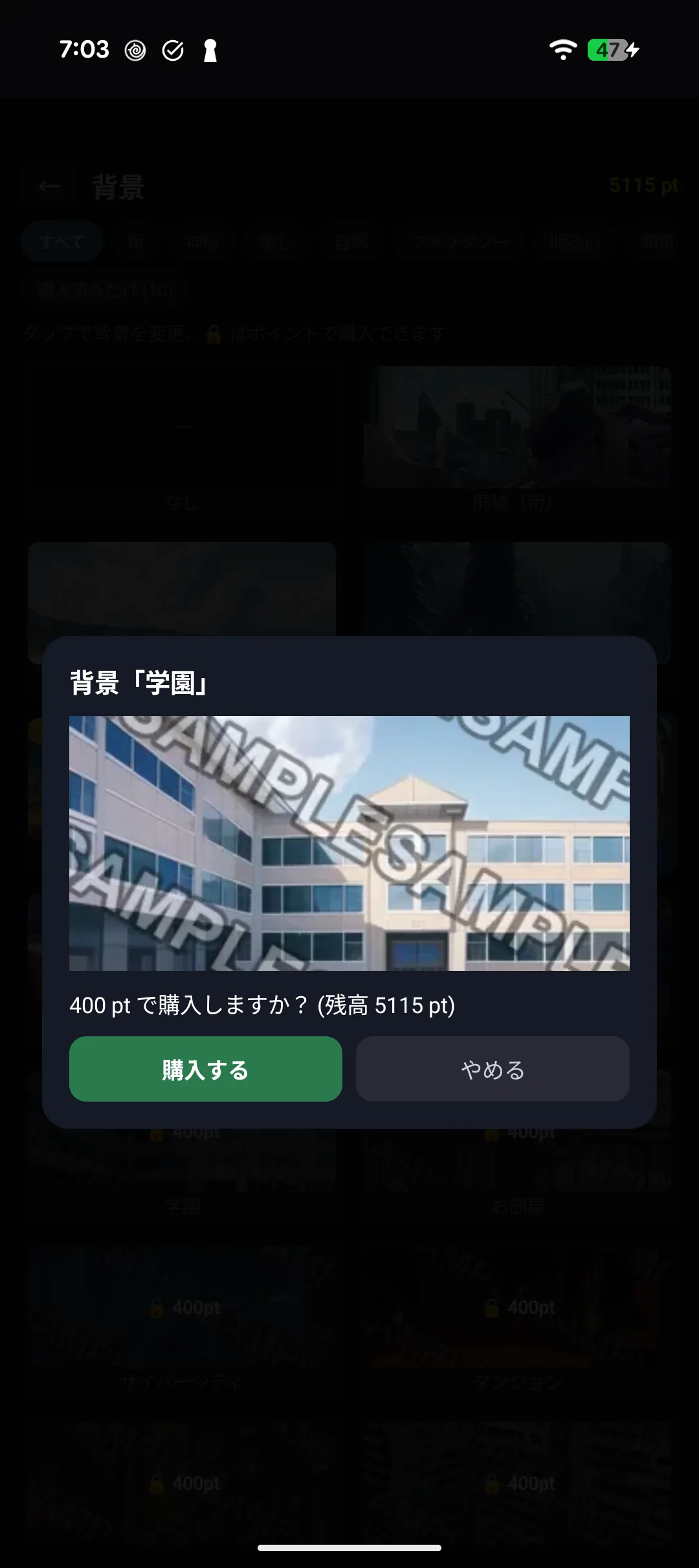
Some backgrounds belong to one character and only appear while that character is selected.
3-8. Bringing a familiar along
⌚ On Apple Watch you can keep a familiar in the corner of the screen.
Where to find it
⚠️ Familiars are a little buried.
| How to open | |
|---|---|
| 🤖 Android | Settings → Familiar |
| ⌚ Wear OS | Menu → Settings → Familiar |
| ⌚ Apple Watch | Settings → Familiar |
Familiars marked with a lock 🔒 can be bought with pt. Tap one to see the confirmation.
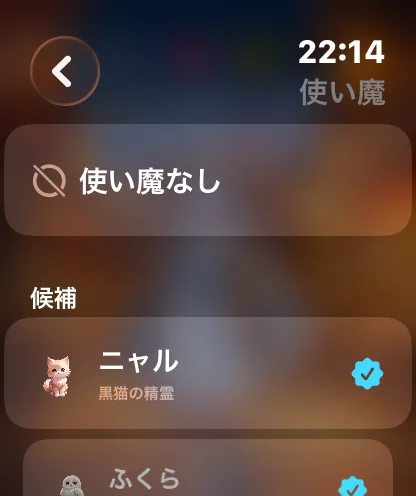
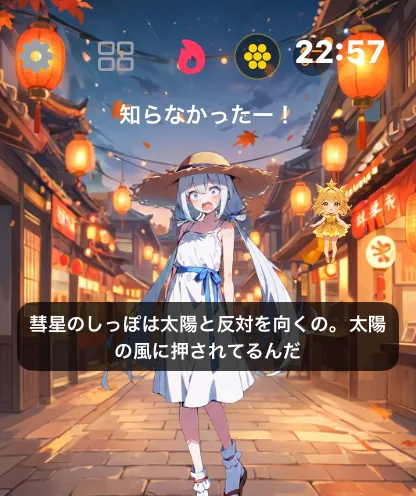
Familiars banter with your character and share trivia, and bring you pt once a day.
3-9. Character profiles
Tap the ♥ in the header to open the profile.
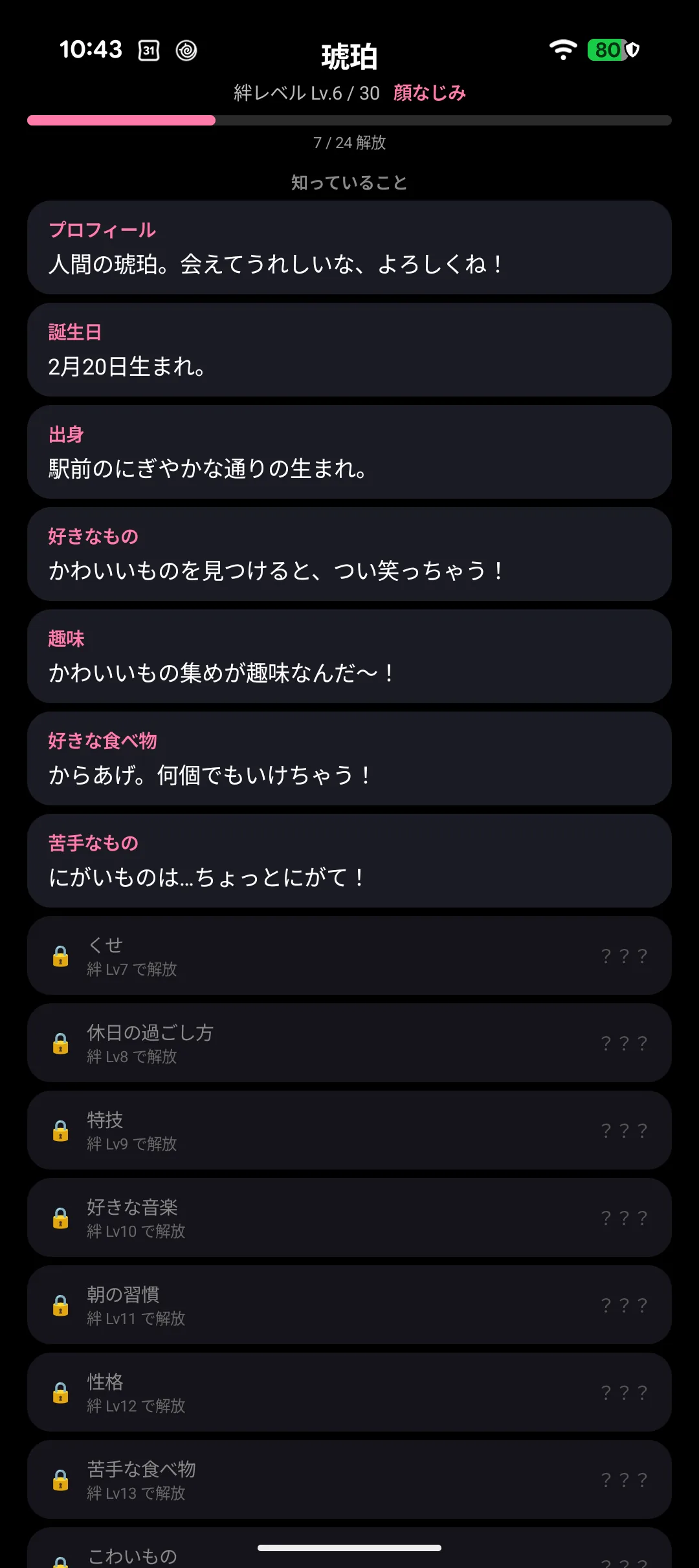
Profiles open up gradually as your bond level rises.
| Unlocks at | Entry |
|---|---|
| Lv1 | About / birthday |
| Lv2-5 | Hometown / likes / hobby / favorite food |
| Lv6-10 | Dislikes / habit / days off / talent / music |
| Lv11-16 | Morning routine / personality / least favorite food / fears / childhood / treasure |
| Lv18-24 | Precious memory / motto / dream / wish |
| Lv26 | A secret |
| Lv28 | True feelings |
| Lv30 | To you |
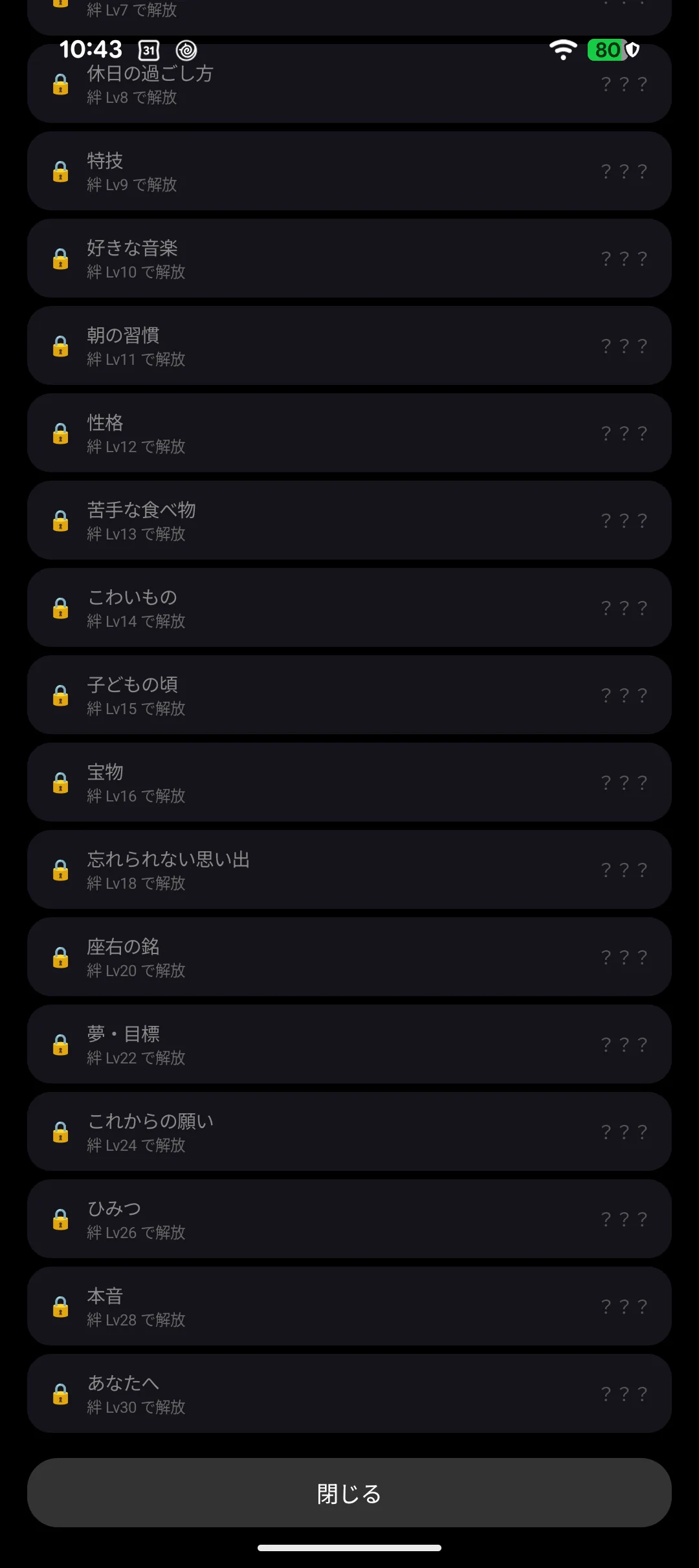
An orange dot next to the ♥ means there is something new to read.
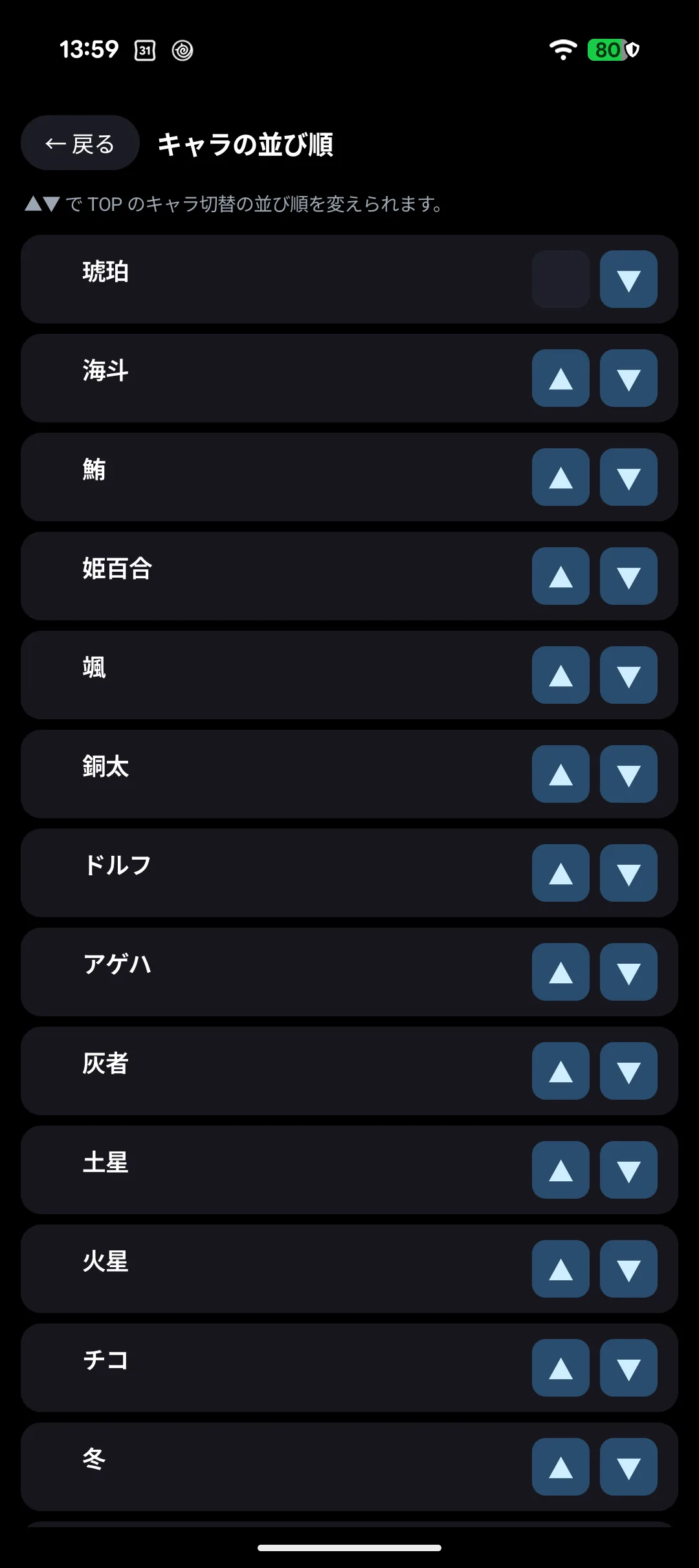
3-10. Reordering
Move the characters and species you use most to the top.
3-11. About downloads
Artwork and voices for characters you own are downloaded automatically when you select them.
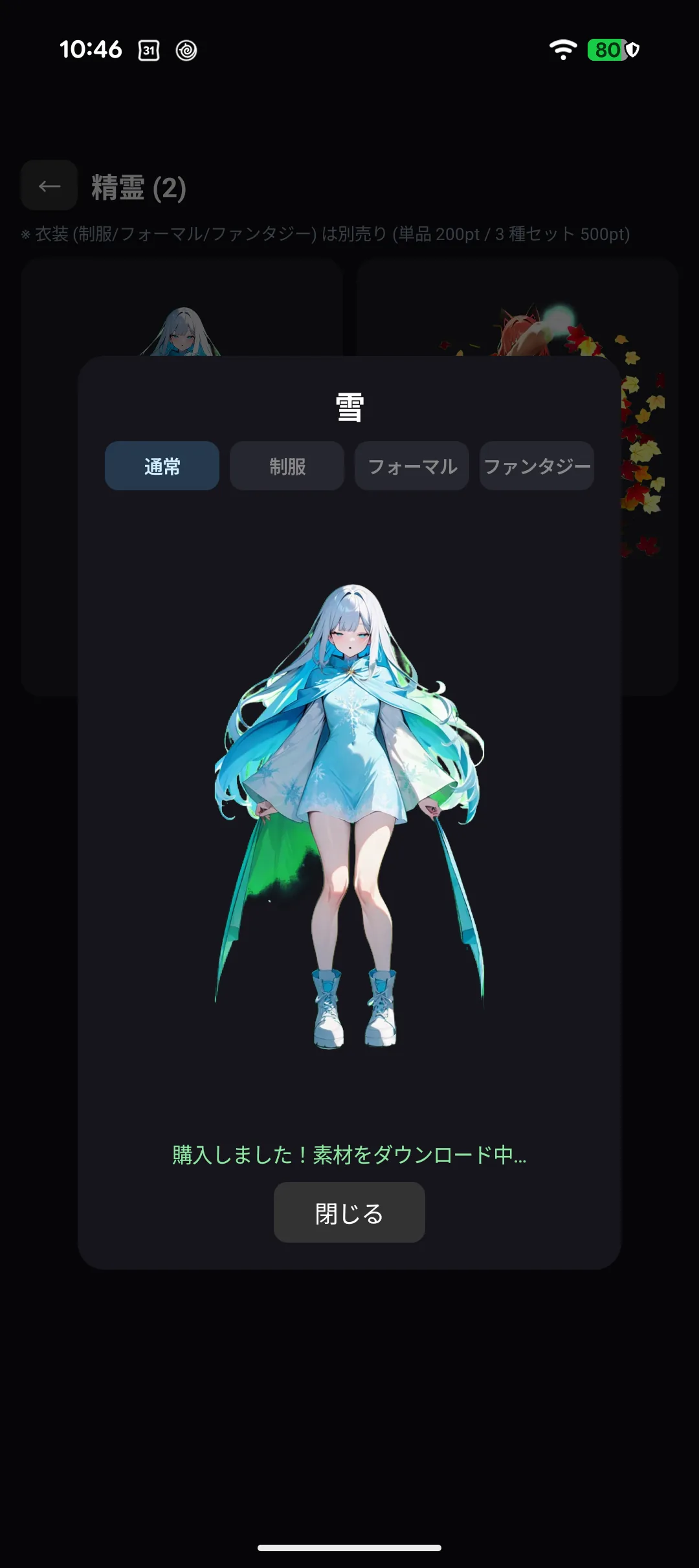
- The first time takes a little while — switch while on Wi-Fi if you can
- Until it finishes, some expressions or costumes may be missing
- ⌚ On Apple Watch the download continues after you lower your wrist, so there is no need to watch it
- Short on space? Storage management in settings removes data for characters you are not using (purchases are kept, so selecting them again downloads it back)
3-12. Artwork can be replaced later
Artwork for characters, costumes, backgrounds and familiars may be replaced later.
There are two usual reasons.
-
A defect was found — leftover background, a cropped hand or foot, the wrong costume
-
A quality improvement — smoothing jagged outlines, for example
-
You never buy it again, and it never costs points
-
It applies when you restart the app (what you own re-downloads automatically; no app update needed)
-
⚠️ What changes is the artwork of the same character — a character is never swapped for a different one
If something looks off to you, please tell us. See chapter 10, "If something goes wrong".